Mobile app · Android & iPhone
Every vehicle check, now in your pocket
The full Rivayat Vahan portal on your phone — same account, same wallet — plus a number-plate scanner, fingerprint lock and downloads that open instantly.
Version 1.0.0 · 5.4 MB · Android 7.0 or newer · Free
More than the website
Built for checks on the go
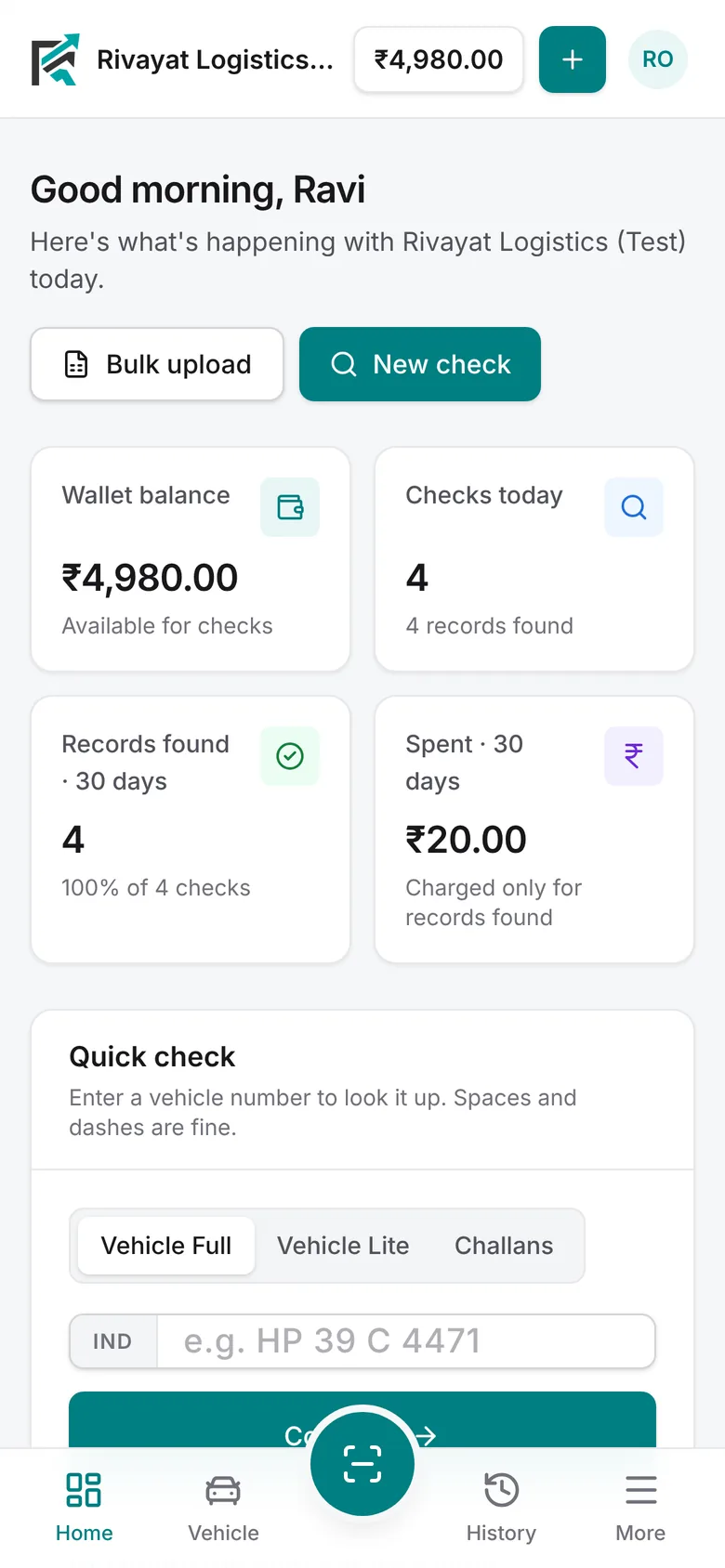
Everything in the portal works in the app: Vehicle Full and Lite, Challans, Driving Licence, RC Mask and Print, bulk uploads, wallet and team.
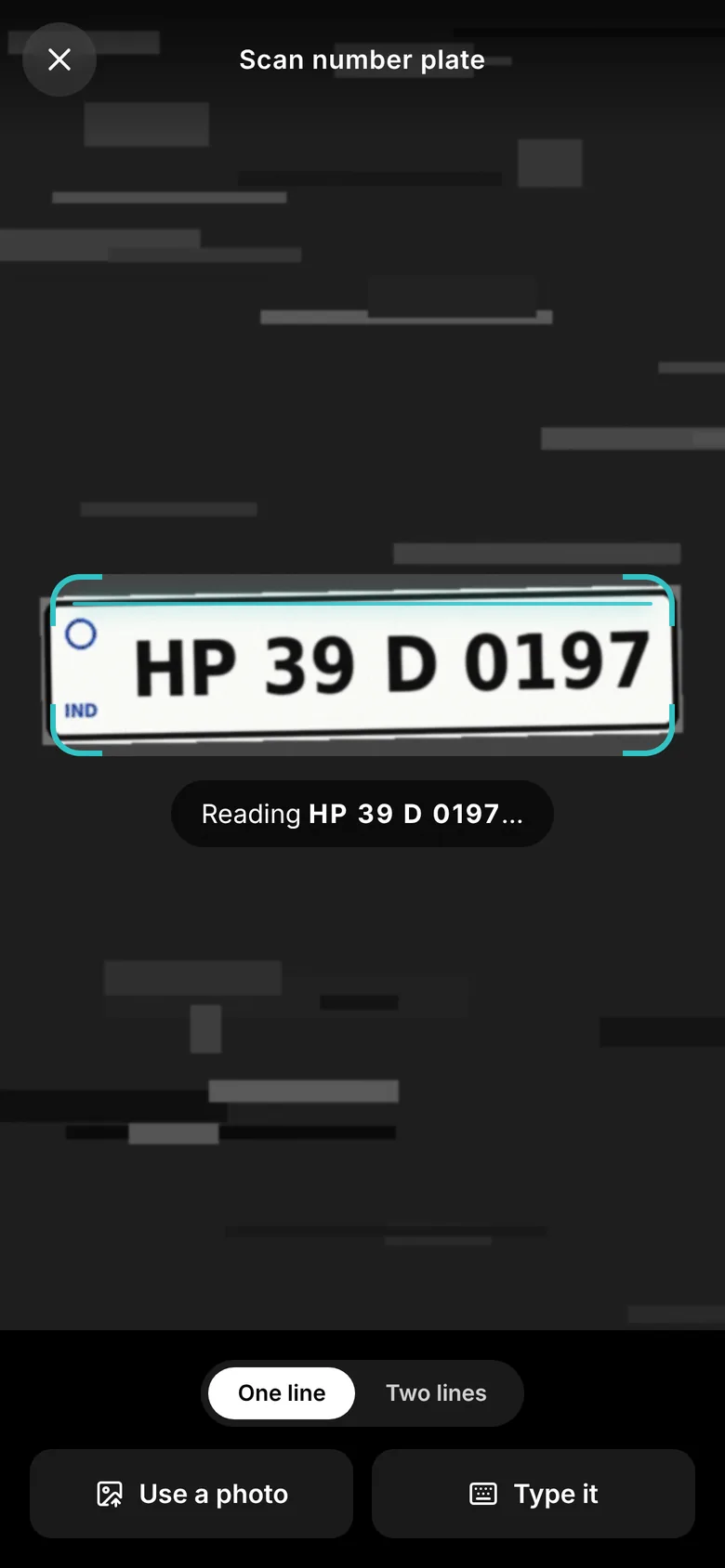
Scan number plates
Point the camera at a plate and the number fills itself in. Read on your phone — no photo is uploaded.
Fingerprint lock
Ask for a fingerprint or face unlock whenever the app opens, so a borrowed phone can't see your records.
Downloads that open
Excel results, RC prints and invoices save to Downloads and open straight in your phone's viewer.
Made for one hand
Bottom tabs, a big Scan button and home-screen shortcuts for Scan, Vehicle check, History and Wallet.
Links open in the app
Portal links shared on WhatsApp or e-mail open right inside the app, already signed in.
Always up to date
New checks and fixes reach the app the moment they go live. You'll be told when a new version is out.
Install on Android
Full app- 1
Download the app
Tap Download for Android on this page. Chrome may ask you to confirm — tap Download anyway.
- 2
Allow the install
Open the downloaded file. If asked, allow installs from Chrome (Settings → Allow from this source), then go back and tap Install.
- 3
Sign in
Open Rivayat Vahan and sign in with your portal e-mail and password. Turn on App lock in Security if you like.
Published 14 Oct 2026 · signed by Rivayat Logistics · SHA-256 9eda58fa48407541837884e03e7842df9682d5caa6c5fd9cd5966d3664c7f89b
Add to iPhone
Home Screen app- 1
Open in Safari
Open rivayatlogistics.in in Safari and sign in.
- 2
Tap Share
Tap the button at the bottom of the screen.
- 3
Add to Home Screen
Scroll down, tap Add to Home Screen , then Add. Rivayat opens full screen from its own icon, with the plate scanner.
Android without the app? In Chrome, tap then Add to Home screen or Install app.
Send it to your team
Share this page on WhatsApp or e-mail. Each person signs in with their own account — owners can add people from Team.
Is it safe to install an app from outside the Play Store?
Yes, when it comes from us. The APK is published only on rivayatlogistics.in, signed by Rivayat Logistics, and its SHA-256 fingerprint is shown above. Never install a copy sent from anywhere else.
How do I get updates?
Most improvements arrive automatically because the app runs the live portal. When a new app version is published, the app shows an Update button.
Do I need a new account?
No. Use the same e-mail and password as the website. Your wallet, history and team are the same everywhere.
Does the scanner upload my photos?
No. The number is read on your phone. Only the vehicle number you confirm is sent when you run a check.